How to See Who Shared Your Instagram Post (Simple Guide)
Want to know how to see who shared your instagram post to grow your page and connect with fans? Figuring out who loves your content is a fun way to build a happy online community. When people share your photos or reels, your work travels to new places and reaches fresh eyes. Many users wonder if they can see a full list of names. While the app keeps direct message shares private, you can still check total counts and find public story reshares. This guide will show you easy, friendly ways to check your post data without any stress. Let us dive in and learn how to track your wonderful digital journey!
Understanding Instagram Post Shares and Privacy
Instagram cares a lot about user privacy, which is why direct message shares stay completely hidden from creators. When someone sends your picture to a friend in a chat, that action remains private. You will see the total number go up, but the name stays secret. This keeps users safe and comfortable while sharing content they love. Knowing this rule helps you focus on creating great posts instead of hunting for hidden names. Privacy rules make the platform secure for everyone involved every single day.
Switching to a Professional Account for Insights
To unlock cool tracking features, you need to switch your profile to a business or creator account. This change is totally free and takes only a minute inside your app settings. Once you make the switch, you gain access to powerful analytics tools like Instagram Insights. Personal accounts miss out on these helpful metrics, so upgrading is the best first step for any active user. Open your settings, tap account type, and choose professional to start seeing your data.
How to Check Your Total Post Shares
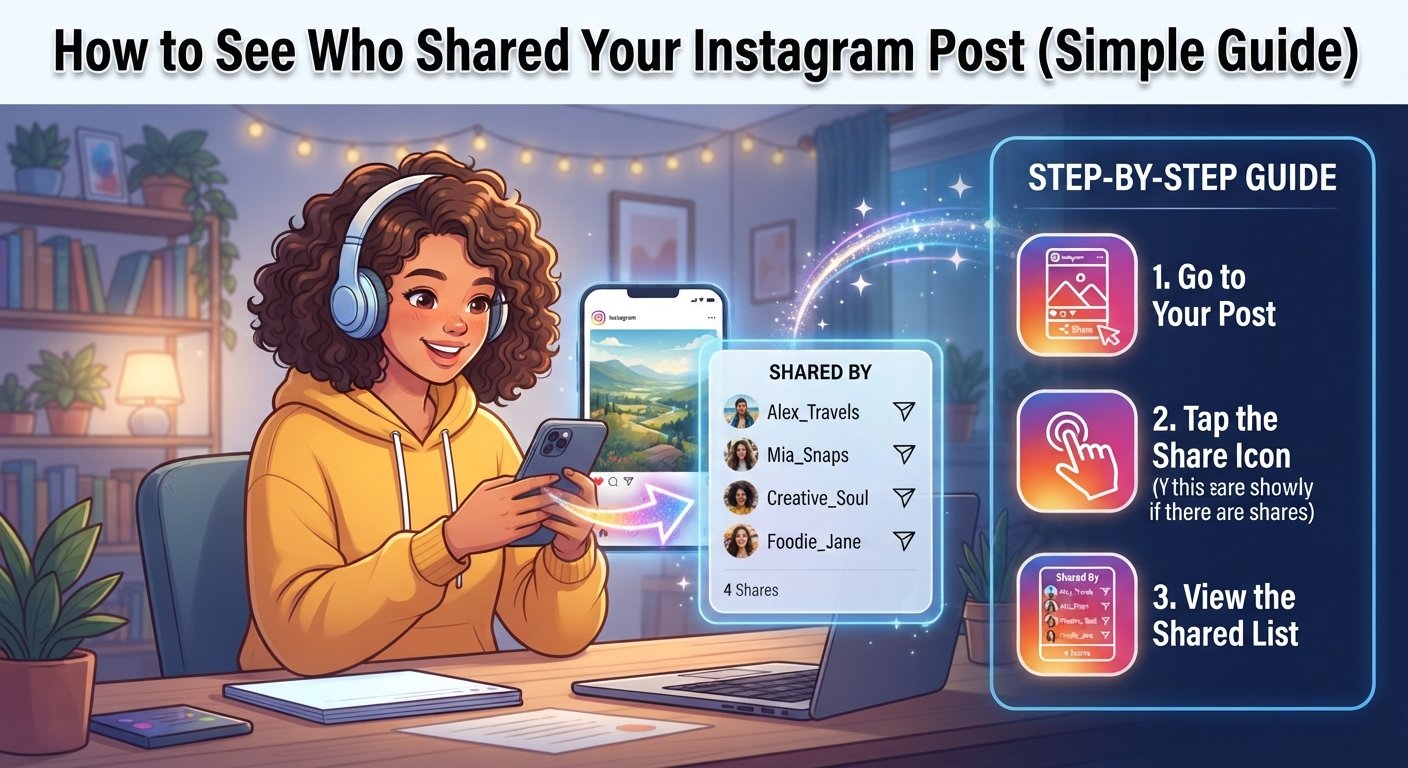
Checking your overall share count is super simple once you have a professional account. Just go to your profile grid and tap on the specific photo or video you want to check. Right below the image, look for the little button that says view insights. Tap it to open a window full of great numbers about your reach. Find the paper airplane icon, which represents your total shares. The number next to it tells you how many times people shared your creation.
Spotting Public Story Reshares Easily
When a user with a public profile shares your feed post to their story, you might be able to see it. Go to your post and tap the three dots menu in the corner. If the option for view story reshares appears, tap on it right away. This handy feature shows you a list of public accounts that recently put your post on their story. Keep in mind that this list only stays active while their story is live during the first twenty-four hours.
Checking Reel Shares and Interactions
Reels work a bit differently, but checking their data is just as easy and fun. Open your reel from your profile tab and let it play for a second. Tap the three dots at the bottom right corner of the screen and select insights. Scroll down to the interactions section to find your total share count. While you won’t get a list of every single person who forwarded the reel, watching this metric helps you understand what type of funny or educational videos your audience loves most.
Finding Shares Through Direct Mentions and Tags
The absolute easiest way to know who shared your post is when they tag your handle. If a user adds your post to their story and mentions your username, you get an instant notification. Tap that alert to view their story and send them a quick thank you message. Building friendly connections with fans who tag you encourages them to share your future content too. Always check your activity feed so you never miss a sweet shoutout from a loyal follower.
Recognizing Indirect Signs of Content Sharing
Sometimes you can tell your post went viral or got shared a lot by looking at hidden clues. Watch for sudden massive spikes in your total reach, profile visits, or new follower counts. If your impression numbers jump way higher than your usual likes, people are definitely sharing your work quietly. You might also notice comments from unfamiliar accounts saying they found you through a friend. These fun organic hints prove that your amazing content is traveling across the platform.
Respecting Instagram Privacy Rules
It is very important to remember why Instagram hides certain sharing details from creators everywhere. Keeping user actions private ensures everyone feels safe browsing and sharing posts with close friends. Trying to use unsafe third-party apps that promise to show hidden names can get your account banned. Stick to official built-in tools like insights and notifications to keep your profile safe. Trusting the official platform guidelines protects your hard work and keeps your community secure.
Tips to Make Your Posts More Shareable
If you want more people to share your pictures and reels, focus on high-value content. Post helpful tips, funny memes, or gorgeous graphics that people want to show their best friends. Add a friendly caption encouraging followers to send the post to someone who needs a smile. Clear calls to action remind casual viewers to hit that share button. When you make relatable and engaging material, your audience will naturally do the hard work of spreading your message far and wide.
Summary Table of Instagram Share Tracking Features
| Feature Type | What You Can See | Where to Find It | Account Requirement |
| Total Share Count | Total number of times shared via DMs and Stories | Under Post Insights (Paper Airplane Icon) | Professional Account |
| Public Story Reshares | Usernames of public accounts that shared your post to a Story | Three-dot menu on post -> View Story Reshares | Professional Account |
| Direct Mentions | Exact names of users who tagged you in their shared story | Activity Notifications and Direct Messages | Any Account Type |
| DM Shares | Only included in total count; individual names are hidden | Aggregate data inside Post Insights | Professional Account |
Frequently Asked Questions
Can I see who shared my post if I have a personal account?
No, personal accounts do not get access to Instagram Insights or sharing data. You must switch to a free professional creator or business account to view total share numbers.
Does Instagram notify me when someone shares my post via direct message?
No, Instagram keeps direct message shares completely private. You will see the share count increase in your insights, but you will never see the sender or receiver names.
Why can’t I see the View Story Reshares option on my post?
This option only appears if at least one user with a public profile has shared your post to their active story within the last twenty-four hours. If nobody shared it publicly, the button will not show up.
Are third-party apps safe for tracking who shares my content?
No, using outside apps that claim to show hidden sharers violates Instagram terms of service. These risky tools can get your account restricted or banned, so always avoid them.
How long do story reshares stay visible for tracking?
Story reshares are tied to regular twenty-four-hour stories. Once the user’s story expires after a day, those specific reshare names disappear from your active tracking menu.
What is the best way to increase my post shares?
Creating relatable, educational, or highly entertaining content is the best strategy. Asking your audience to pass your post along to a friend in your caption also helps boost shares organically.